
For years “page speed” meant one number from one test tool, and different tools disagreed. On 5 May 2020 Google's Chrome team introduced Web Vitals, a common set of signals for a good user experience, and picked three of them as the Core Web Vitals.
Each one answers a question every visitor asks without thinking about it: Is it loading? Can I use it? Is it stable?
The three Core Web Vitals
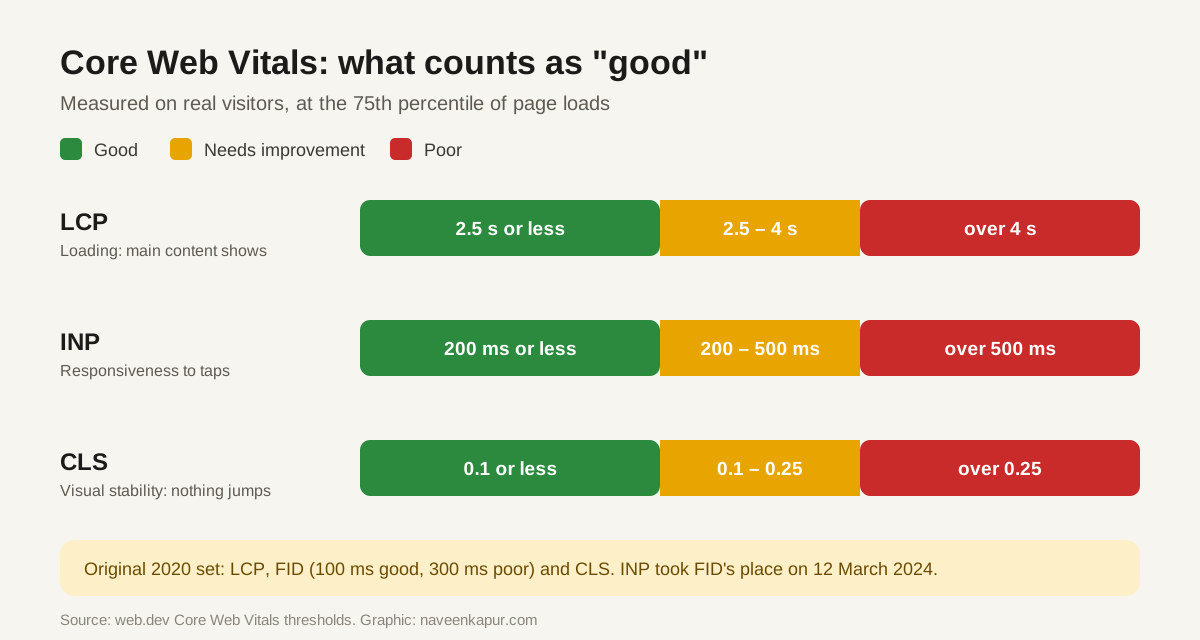
- LCP: Largest Contentful Paint
- How long until the biggest thing on screen (usually the main image or headline) has loaded. It tells the visitor “this page is useful”.
- INP: Interaction to Next Paint
- How quickly the page responds when someone taps, clicks or types. It replaced First Input Delay (FID) on 12 March 2024. Full story: INP explained.
- CLS: Cumulative Layout Shift
- How much the page jumps around while loading. The classic example: you go to tap a button and an ad pushes it down.
| Metric | Good | Needs improvement | Poor |
|---|---|---|---|
| LCP | ≤ 2.5 s | 2.5 – 4 s | > 4 s |
| INP | ≤ 200 ms | 200 – 500 ms | > 500 ms |
| CLS | ≤ 0.1 | 0.1 – 0.25 | > 0.25 |
| FID (retired 2024) | ≤ 100 ms | 100 – 300 ms | > 300 ms |
The 75th percentile rule
Your page does not pass because it loaded fast once on your office broadband. Google looks at real visits collected by Chrome (the Chrome UX Report), over the last 28 days, and takes the 75th percentile. In simple words: at least three out of four visits must be good.
Mobile and desktop are judged separately. In India, where most visits come from mid-range phones on mobile data, the mobile score is usually the one that needs work.
When it became a ranking signal
| Date | Event |
|---|---|
| 5 May 2020 | Web Vitals and Core Web Vitals announced |
| 28 May 2020 | Google announces a coming “page experience” ranking signal |
| Mid-June to end Aug 2021 | Page experience update rolls out for mobile |
| Feb – Mar 2022 | Rollout to desktop |
| 12 Mar 2024 | INP replaces FID |
Google has been clear about how much weight this has. Its guidance says Core Web Vitals are used by its ranking systems, but a page with the best, most relevant content can still rank well with average scores. Think of them as a way to stop good content from being held back, not as a shortcut past better content.
How to check your scores
| Tool | Data type | Best for |
|---|---|---|
| Search Console → Core Web Vitals report | Field (real users) | Seeing which groups of URLs fail across the whole site |
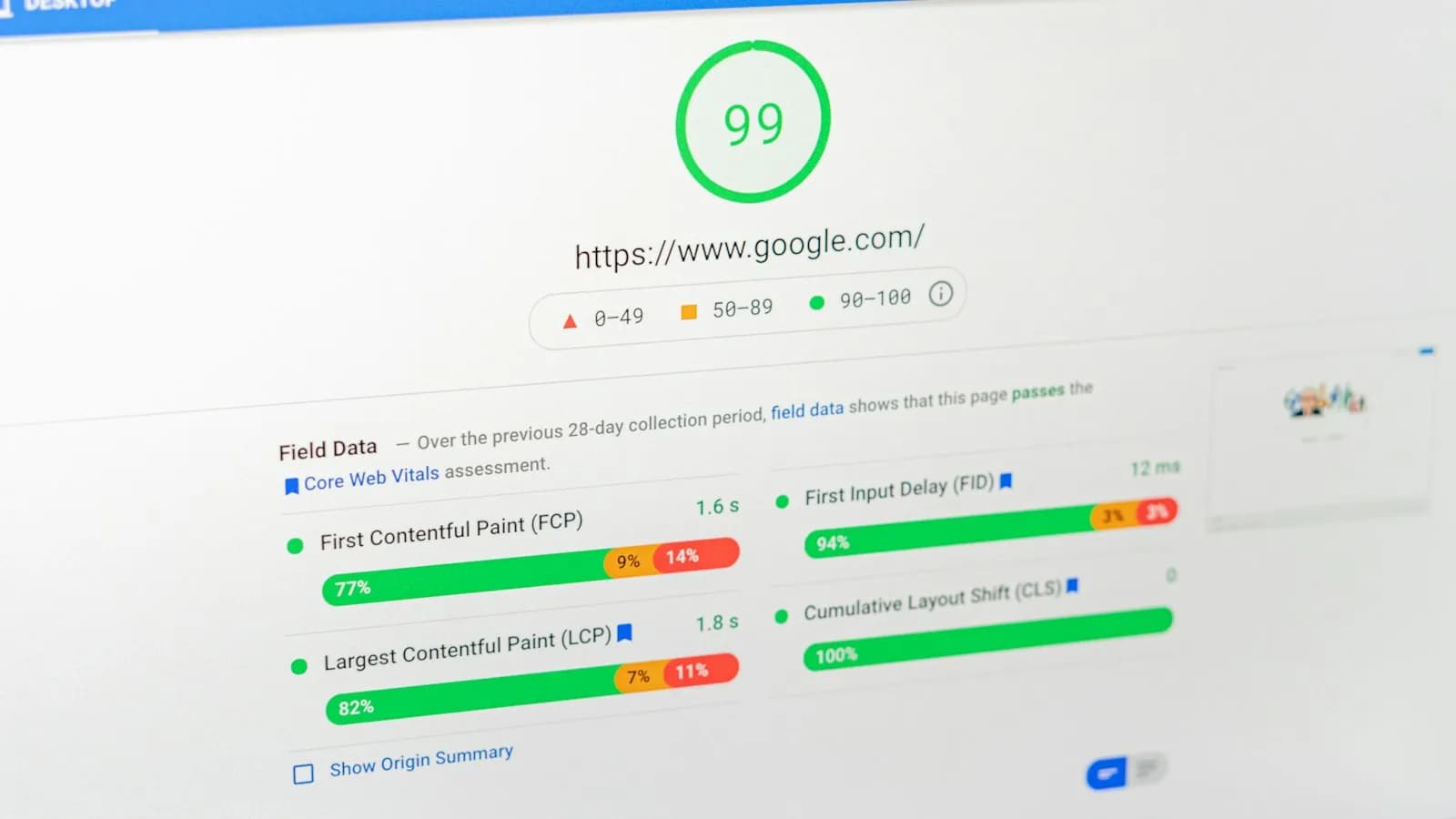
| PageSpeed Insights | Field + lab | Checking one URL and getting a fix list |
| Chrome DevTools / Lighthouse | Lab | Finding the cause while developing |
| web-vitals JavaScript library | Field (your own) | Sending real scores into GA4 or your own dashboard |
Common fixes for each metric
Fixing LCP (slow loading)
- Compress and resize the main (hero) image; use WebP or AVIF.
- Do not lazy-load the main image; give it high fetch priority instead.
- Speed up the server response with caching and a CDN.
- Remove render-blocking CSS and scripts above the fold.
Fixing INP (slow response)
- Cut heavy JavaScript, especially third-party chat, tracking and popup scripts.
- Break long tasks into smaller pieces so the browser can respond in between.
- Show visual feedback straight away, then do the heavy work.
Fixing CLS (jumping layout)
- Always set width and height on images and videos.
- Reserve fixed space for ad slots and embeds. Ads loading late are one of the biggest causes of CLS. This blog gives every ad box its exact size up front for this reason.
- Avoid inserting banners or cookie bars above existing content after load.
- Use font-display settings that do not reflow the text badly.
If your site runs on a CMS like WordPress, much of this comes down to the theme and plugins. A heavy theme with ten plugins can fail all three metrics before you have written a word.
Core Web Vitals sit alongside other page-experience basics: HTTPS, no intrusive popups, and a page that works on phones. Google now indexes the mobile version of every site, so mobile scores matter most.