
A small business owner usually hears two kinds of SEO advice. One says SEO is a long list of technical tasks that only an expert understands. The other promises page one in 30 days. Neither helps when you have a limited budget and need the phone to ring.
What helps is order. Some fixes make everything else work. Others matter only once the basics are in place. This guide lists seven fixes in the order that usually gives a small business the most enquiries for the least money, using Google's own documentation as the reference point. It also covers what to expect if you pay for SEO services for a small business.
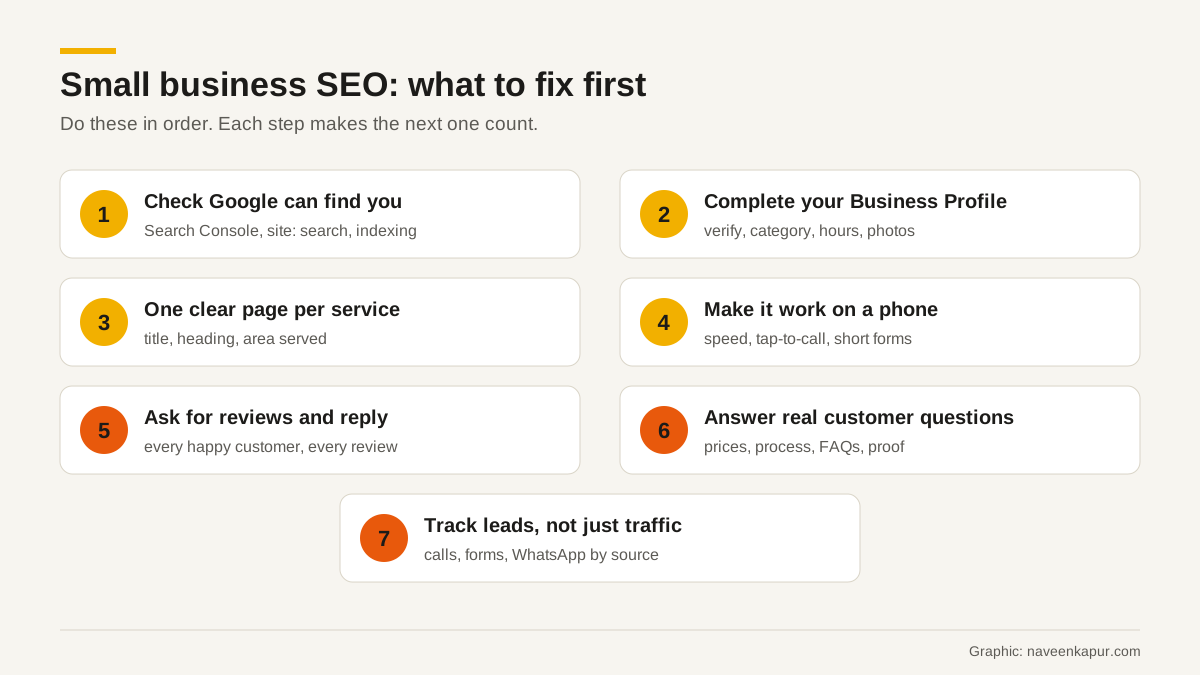
1. Check that Google can find you
Google's SEO Starter Guide begins with a simple check: search for site:yourdomain.com. If you see results from your site, you are in Google's index. If you see nothing, or only a few pages, fix that before anything else.
Then set up Google Search Console. It is free, and Google describes it as a service that helps you monitor, maintain and troubleshoot your site's presence in Search results. It shows which searches bring you clicks, which pages are indexed, and whether Google has found problems. Submit your sitemap there and check the page indexing report once a month.
2. Complete your Google Business Profile
If your customers are local, a lot of them will find you on Google Maps and in the local results, not on your website. Google's help page on local ranking says local results are mainly based on relevance, distance and prominence, and that there is no way to request or pay for a better local ranking.
- Verify the business. Google says verified businesses are more likely to show in results.
- Choose the right primary category and add your hours, phone number and service area.
- Use your real business name, as on your signboard. Google's guidelines do not allow extra keywords in the name.
- Add real photos of your premises, team and work.
If you do not have a shop that customers visit, you can still have a profile as a service-area business, with your address hidden. A rented mailing address that you do not work from is not eligible. More detail is in our guide to Google Business Profile.
3. Give each service its own clear page
A common small business website has a home page, an about page and one “services” page listing ten things. Google has very little to match with a search like “AC repair in Dwarka” or “CA for GST filing in Noida”.
Give each main service its own page with a clear title, a heading that says what you do and where, a short description of the process, prices or price ranges if you can share them, and a way to call or enquire. Google's starter guide says a good title is unique to the page, clear and concise, and describes the page's content. It also says Google does not use the keywords meta tag, so there is no need to spend time on it.
4. Make it work on a phone
Most local searches happen on phones. Open your own site on a basic Android phone using mobile data and try to call you or fill the form. If it is slow, or the button is hard to tap, you are losing enquiries that SEO already earned.
Google's Core Web Vitals give clear targets: Largest Contentful Paint within 2.5 seconds, Interaction to Next Paint of 200 milliseconds or less, and Cumulative Layout Shift of 0.1 or less, measured at the 75th percentile of page loads. PageSpeed Insights will test your pages for free. See our Core Web Vitals guide for what each number means.

5. Ask for reviews and reply to them
Google's local ranking page says prominence is partly based on how many reviews a business has, and that more reviews and positive ratings can help local ranking. It also says replying to reviews shows you value customer feedback.
Make asking a habit: a short message with your review link after every completed job. Reply to every review, good or bad, politely and specifically. Do not buy reviews or offer discounts or gifts for them. Google's Maps content policy does not allow paid or incentivised reviews, and removes them.
6. Answer the questions customers really ask
Write down the ten questions customers ask you on the phone every week. What does it cost? How long does it take? Do you come to my area? What documents do I need? Each good answer can become a section on a service page, a short FAQ or a blog post.
This is what Google means by people-first content. Its guidance on helpful content asks whether a reader would leave feeling they learned enough to reach their goal, and whether the content clearly shows first-hand expertise. A small business has that expertise every day; most competitors do not write it down.
7. Track leads, not just traffic
Traffic is easy to grow and does not pay salaries. Set up tracking for the actions that matter: calls from the site and the Business Profile, form submissions, WhatsApp clicks. Your Business Profile has its own performance report for calls and direction requests. On the website, GA4 can record these as key events.
Even a simple sheet helps: date, name, how they found you, what they asked about, and whether they became a customer. After three months you will know which pages and searches actually bring business.
What to expect from SEO services
Google has a help page called “Do you need an SEO?” and its advice suits small businesses well:
- No one can guarantee a number one ranking on Google. Be careful with anyone who does, or who claims a special relationship with Google.
- A good SEO asks about your business, your competitors and how your customers find you.
- If an SEO offers an audit, give read-only access to Search Console at first.
- An audit should give realistic estimates of improvement and of the work involved.
Timelines matter too. Google's starter guide says some changes take effect in a few hours and others can take several months, and suggests waiting a few weeks to judge whether a change helped. A fair monthly plan for a small business covers the seven steps above, a short report on calls and enquiries, and a list of what was changed. Our SEO audit checklist shows what a proper audit covers, and how to choose an SEO consultant lists the questions to ask.
What to skip on a small budget
- Buying links or “guest posts” in bulk. They can break Google's spam policies.
- Hundreds of near-identical city pages with only the place name changed.
- Paying for a new website before fixing the pages and profile you already have.
- Chasing rankings for broad national keywords when your customers are in one city.